Halloween · A darker pixel look
Halloween Minecraft Skin from Your Photo
Make a Halloween Minecraft skin from your photo. Start with the Spooky preset for a darker outfit, adjust the head, face and clothing regions, then choose Java or Bedrock. Your photo stays on your device.
Classic · Java
Your photo and style
View your skin here. Choose Save PNG to keep it.
Buy creditsPreparing
Your skin will appear here when ready. Using a credit also covers Save PNG.
3D view
Drag to rotate, or use the sliders. Open the Minecraft Skin 3D Viewer to view another PNG.
1 credit · packs from $1.00
Java: open Minecraft Launcher → Skins → New skin, choose Classic and select the PNG. Bedrock on mobile or Windows: Dressing Room → Classic Skins → Owned → Import. Consoles cannot import a custom PNG. Full import instructions.
Make your Halloween Minecraft skin
- 1
Pick a clear portrait
Face the camera in soft light. Keep the hairline and chin visible so you can position the Head and Face boxes. The Clothing box supplies your outfit colors.
- 2
Start with Spooky
The Spooky preset darkens the outfit palette. It sets an overall style; it does not add a specific pumpkin costume, mask or accessory. You can also try Classic, Cartoon or Knight.
- 3
View your pixel skin
Continue to see the front and back of your 64×64 skin. The raised outer layer is optional. Use the installation guide for your edition, and check Pricing for watermark and credit options.
A darker style for your portrait
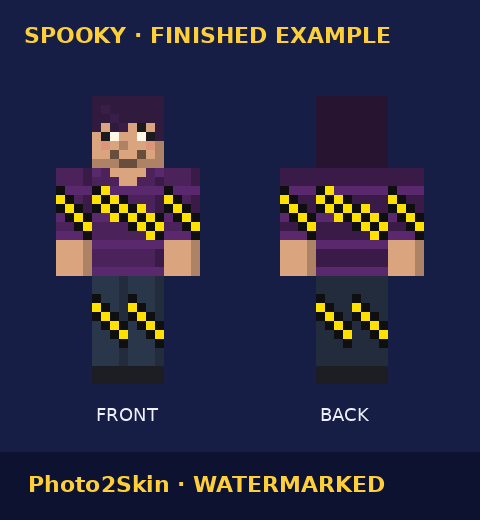
For everyday dark outfit ideas, read the Spooky Minecraft skin guide. For portrait preparation, see Minecraft skin from picture.
Halloween skin questions
How does the Halloween style work?
Spooky is selected when you open this page. It darkens the outfit colors from your photo; you can switch to another style before continuing.
Can I choose a specific costume?
The style choices set the overall look. There are no separate costume, hair or clothing controls.
Does my photo leave my device?
Your photo is processed in your browser and stays on your device. If you sign in, skin history stores generated skins, not your photo.
Can I use this skin in Java or Bedrock?
Choose your edition in the form. Java and Bedrock on Windows, Android or iOS accept custom PNG skins. Consoles cannot import a custom PNG.