Spooky Minecraft Skin from Your Photo
A Spooky Minecraft skin gives your portrait a darker outfit palette. The generator uses selected photo regions to build a pixel character, with an optional raised outer layer.
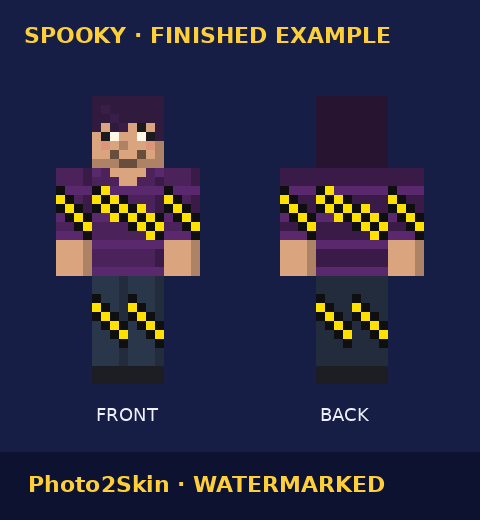
Turn your photo into a spooky skin
Use soft, even light so shadow does not obscure your face. Keep space above the hairline inside the Head box, place the Face box inside it, and select a Clothing area with the colors you want to use. You can drag these boxes or enter their percentages with the keyboard.
Choose an overall style
Spooky darkens the sampled outfit colors. The style card is an illustration, so its purple and orange accents do not promise a matching costume in your result. There are no separate mask, pumpkin, hair or clothing selectors. Compare Classic, Cartoon and Knight if you want another overall look.
Check the skin in your edition
View the front and back before adding the PNG to Minecraft. Java uses the Launcher skin settings. Bedrock on Windows, Android and iOS uses Dressing Room; consoles cannot import custom PNG skins. Follow the skin installation guide for the steps.
For a seasonal starting point with Spooky already selected, try the Halloween Minecraft skin generator. For a red or green photo-color starting point, see the Christmas Minecraft skin guide. You can also return to the photo tool or check Pricing.
Try a personal movie-inspired Minecraft skin using the existing styles.
Spooky skin questions
What does Spooky change?
Spooky darkens outfit colors sampled from your photo. It is an overall style preset, rather than a separate costume or accessory selector.
Can I choose a specific costume?
The style choices set the overall look. There are no separate costume, hair or clothing controls.
Does my photo leave my device?
Your photo is processed in your browser and stays on your device. If you sign in, skin history stores generated skins, not your photo.
Can I use this skin in Java or Bedrock?
Choose your edition in the form. Java and Bedrock on Windows, Android or iOS accept custom PNG skins. Consoles cannot import a custom PNG.